
{{product.refund_possibility_days}} days
Warranty
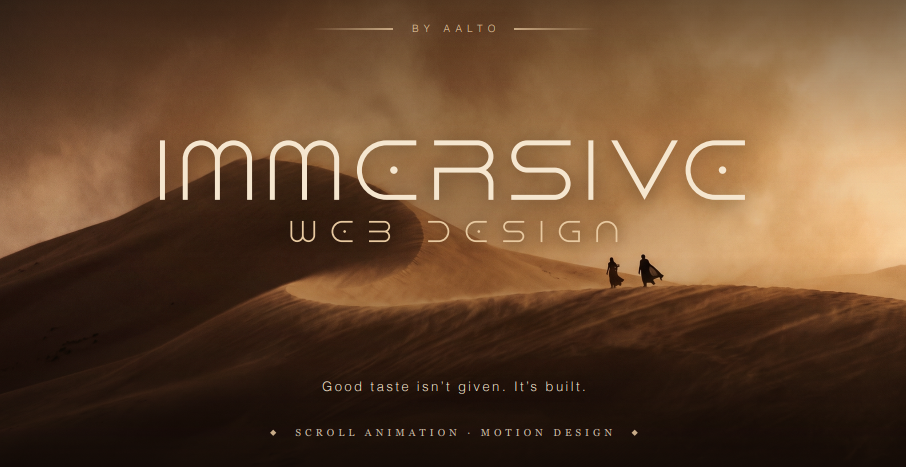
The Aalto Method Taste is a skill. We teach it.
Three honest reasons I made this.
I hate long courses that never get practical. Forty lessons of theory and not one moment where somebody opens a file and builds something in front of you. So this one is short and almost all of it is work. Real client projects, real builds, real decisions I made and then changed my mind about.
There are already a million courses on Figma and on Claude. What nobody teaches is how to come up with an idea worth animating in the first place. The internet is full of flying sandwiches and parallax soda cans. Technically fine. Nobody stops scrolling for them.
And everyone's websites look the same right now, especially the ones built with AI. Same layouts, same type, same three gradients. That isn't a tooling problem. Everyone has the same tools. It's a taste problem, and taste is learnable.
WHAT'S INSIDE
Lesson 1: Where do I get my ideas from? Your creative input diet. This is the spine of the whole course. Most people's work looks like everyone else's because their references are everyone else's, pulled from the same three aggregators as twenty thousand other designers. I'll show you exactly where I pull from instead: photography, cinematography, art history, architecture, the places I've travelled, film, books. How I keep it, how often I feed it, what the practice actually looks like in a week. Also here: why websites look cheap. Not vibes. The specific, nameable decisions that give it away. Type sizing, spacing logic, stock choices, shadow defaults. Once you can name them you can't unsee them. You can't fix what you can't see.
Lesson 2: Break the rules on purpose Taught by Anna, senior designer at the studio. Every designer wants to break a rule and almost nobody does it convincingly. A break only reads as intentional when everything around it is controlled. Break three things and it reads as an accident. Break one, with the other ninety nine percent locked down, and it reads as a decision. Where the break belongs, how to calibrate it to the brand, and how to tell a risk that lands from one that just looks like a mistake.
Lesson 3: Motion that looks expensive GSAP and ScrollTrigger, properly. Not a syntax tour, you can read docs. This is game feel: timing, easing, stagger, the small delay before a thing moves, the reason one animation feels premium and a technically identical one feels cheap. Most of that difference lives in numbers under 400 milliseconds and I give you the actual numbers I use. Plus how I work with Claude as a coding partner so motion work doesn't stall out on syntax and the time goes into judgement instead.
Lesson 4: Actual immersive 3D build walkthrough A full build, start to finish, nothing cut. The 3D butterfly, from asset to live page. You see the false starts, the things that didn't work, the decisions about where to spend the performance budget and where to stop.
Lesson 5: Actual immersive, the Buddha temple The second build, and a harder one. Heavier geometry, more atmosphere, more places for it to go wrong. Goes deeper on scene composition, lighting, and making something feel weighty and quiet instead of flashy. These two lessons are what most people buy this for. They aren't demos and they aren't toy projects.
Lesson 6: Optimizing the build Making it fast without gutting the thing you made. Immersive sites die on load. Most optimization advice is either generic web performance or tells you to delete the reason the site was good. This is about the real constraints of heavy visual work: memory, decoded frame budgets, asset strategy, and where the bottleneck actually is versus where people assume it is. There's one trap in scroll controlled video sequences that catches nearly everyone, and the fix isn't the obvious one.
Lesson 7: My complete process and tech stack Every tool I use, what I use it for, and what I've stopped using. Design, 3D, motion, AI generation, research, deployment. Not a list of names, the reasoning behind each choice and where it fits in a real project. This is also where the course closes, on the part nobody's teaching: how to make your work not look AI generated. Everyone has the same tools now. The output all looks the same. The only durable difference is taste, and by this point you'll have a system for building it.
WHO IT'S FOR Designers and developers who can already build but keep landing on work that looks like everyone else's. Freelancers who want to charge more and know the work has to justify it. Anyone using AI tools and watching the sameness creep in.
WHO IT ISN'T FOR Total beginners. You should be able to build a site already. This is about making it good, not about making it at all. And anyone looking for templates. There are none. Templates are the reason the work all looks the same.
Seven lessons. Two complete immersive builds recorded end to end. No live calls, no cohort, no schedule. You keep it and work at your own pace.
The product is out of stock | |
| Available quantity: | {{ inStockLeft }} |
| Net price: | {{ asCurrency(nettoPricePreview, currencySign) }} |
| Net shipping price: | {{ asCurrency(shippingNettoAmountPreview, currencySign) }} |
| Sales Tax({{ formatNumber(vatPercent, true) }}%): | {{ asCurrency(vatAmountPreview, currencySign) }} |
| Total (Incl. Sales TAX): | {{ asCurrency(bruttoPricePreview, currencySign) }} |
| Trial period of {{ product.trial_days }} day(s), First payment {{ asCurrency(productBruttoAmount, currencySign) }} in {{ product.trial_days }} day(s) | |
{{product.refund_possibility_days}} days
Warranty